Introduction
Your original remote has a particular operating frequency that can be identified through a silver chip on the remote. The example below shows how you can differentiate between if your remote is operating at 330 MHz or 433 MHz.
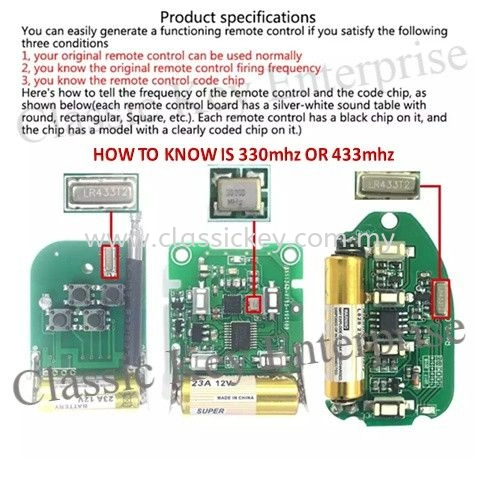
Be aware that some remotes may display some other numbers such as 430 and 330 in some cases. Do refer to the guide above to identify the correct number.
Cloneable remote types
Two types are available in the market:
- Digit type: a six-position knob with a positive, negative, and middle setting. To clone, you disassemble your original remote and match this code with your new remote.
- Clone type: you must use the original remote and not the clone.
Cloning process
For the clone type, three steps:
- Reset the clone by pressing and holding (usually the first two buttons) until you get a flashing light.
- Press the button you would like to clone on the original remote, while at the same time pressing the corresponding button on your new remote. It should match.
- Repeat this process for each button you would like to clone.
You should now have a successful clone.
Where to buy
Once you have identified your frequency, go to any online marketplace (for example Shopee) and search:
<frequency> auto gate remote
You will be able to find different types of remotes that you can choose according to what you like, and the digit type or the clone type is available.
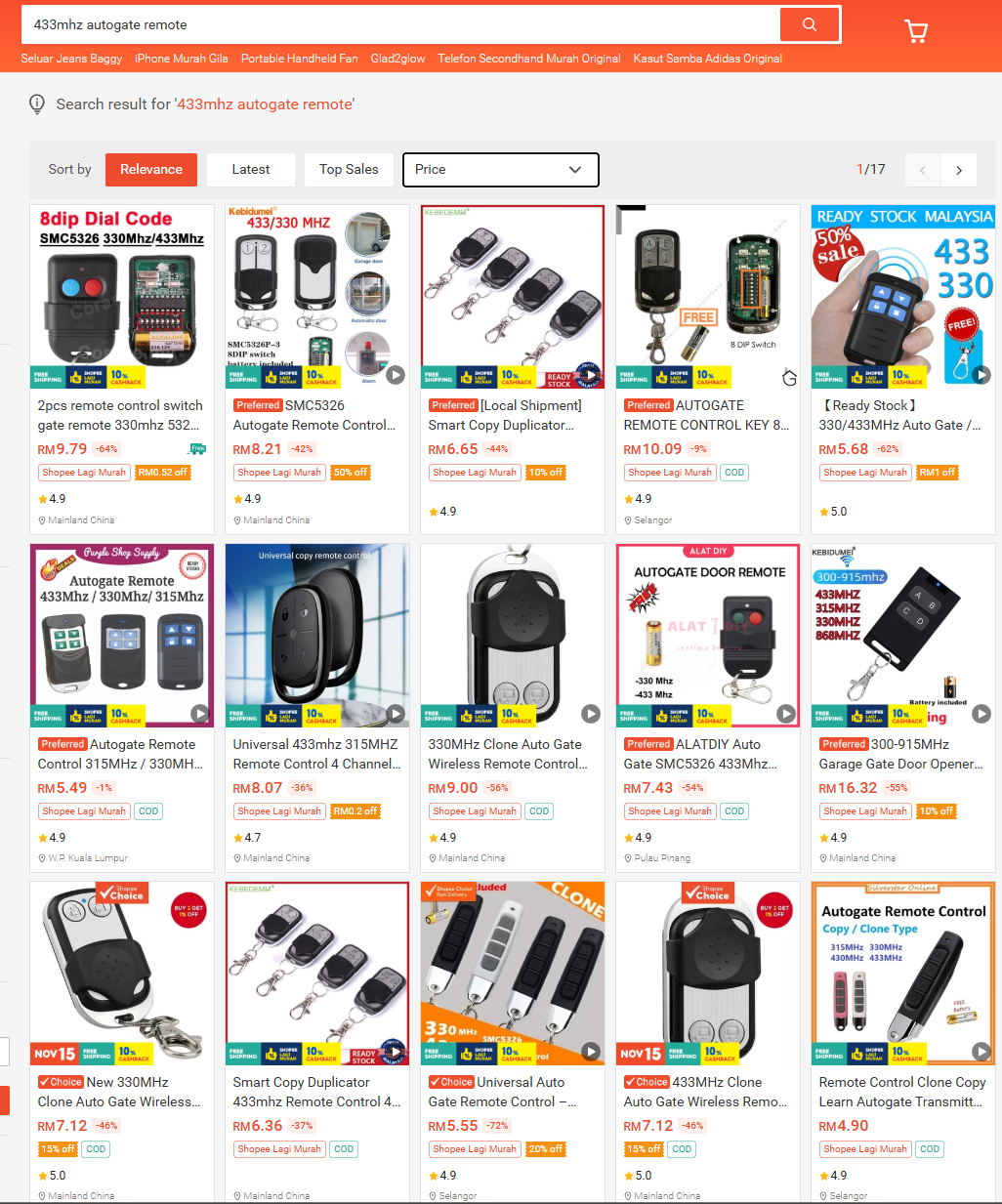
Heads up, I’ve not tried the digit type. I have tried the clone type with success. Just ensure the frequency is the same with original.
References
- Frequency identification image source: classickey.com.my